
Design Tools Compared: How to Match the Right Software to Your Needs
By Mag-Info Tech editorial · 2026-06-10

Why choosing the right design tool matters
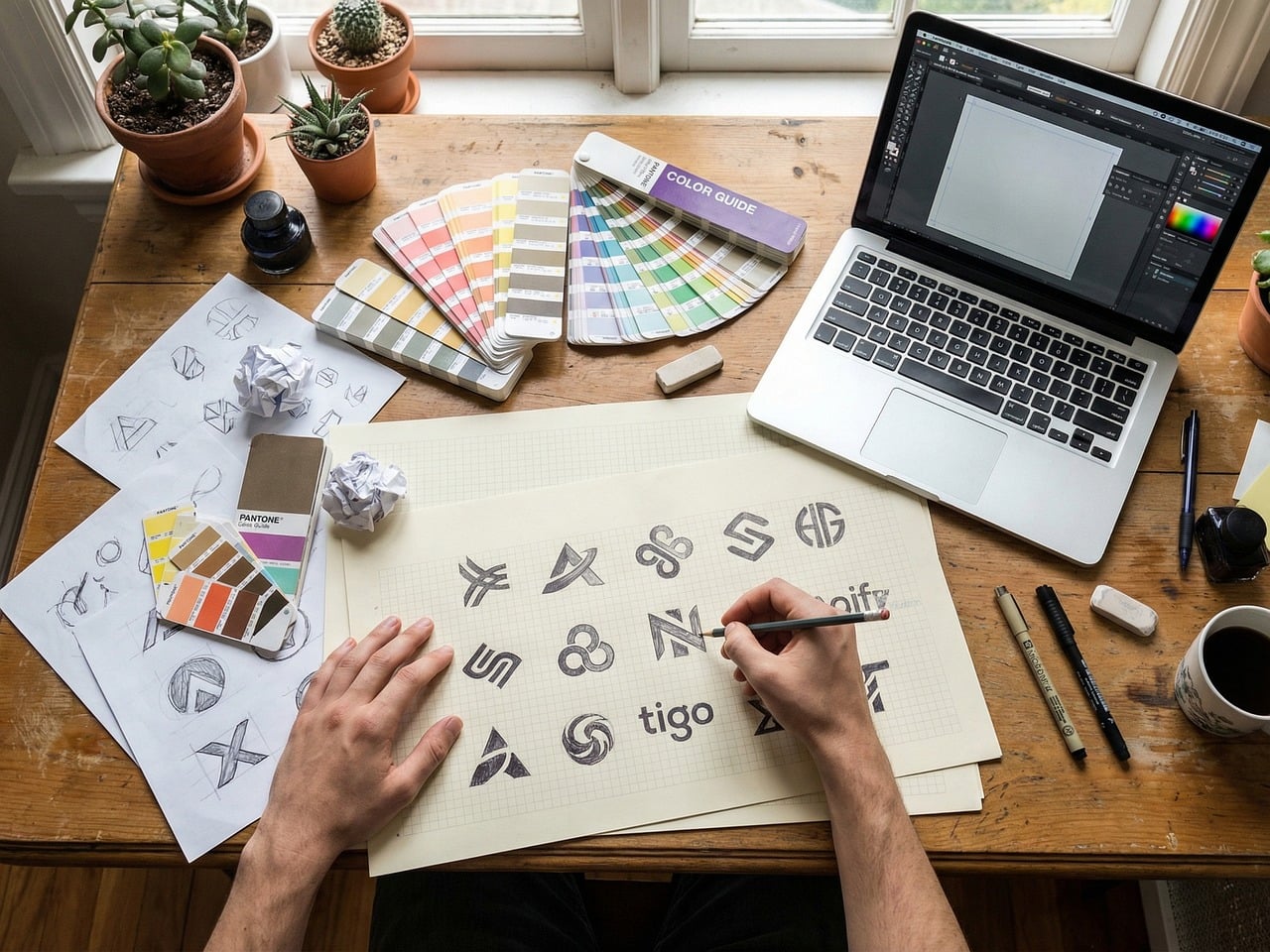
The right design software can accelerate feedback loops, keep assets consistent, and scale from a single screen to a multi-user system. The wrong choice can mean costly migrations, steep learning curves, or features that never get used. Whether you are a solo creator, a growing team, or an enterprise with strict brand guidelines, the landscape splits into three broad categories: vector editors for logos and UI, pixel editors for photos and textures, and all-in-one suites that blend both with prototyping, animation and handoff. The tools below reflect these categories and the real-world roles they serve.
Vector-first tools for logos, icons and UI
Vector editors excel at clean, scalable shapes, typography, and reusable components—ideal for branding, icons, and interface mockups.
Adobe Illustrator remains the industry standard for high-end vector work. Its strength is precision: pen tool, boolean operations, global colors and variable fonts let designers build logos, icons and complex illustrations that scale without quality loss. Teams value libraries, cloud documents and Adobe Fonts integration for brand consistency. The trade-off is a subscription model and a steep learning curve; Illustrator is overkill if your main output is photo editing or rapid prototyping.
Affinity Designer offers a one-time purchase alternative with near-identical vector features and real-time performance. It handles large documents smoothly and includes advanced tools like non-destructive effects and unlimited artboards. Teams on tight budgets or those wary of subscriptions often migrate here. It lacks some ecosystem integrations (stock assets, cloud libraries) that Illustrator users rely on, so weigh ecosystem needs against cost savings.
Figma’s vector tools are embedded in a browser-based, collaborative environment. Designers can work simultaneously on the same file, comment in context, and build simple prototypes without leaving the canvas. The vector network and auto-layout features make UI component systems fast to iterate. Figma’s pricing tiers scale from solo free plans to enterprise plans with advanced security. The main limitation is occasional latency with extremely large files and fewer print-oriented features compared to Illustrator or Affinity.
Who should choose vector-first tools: Brand designers, icon specialists, UI/UX teams, and anyone who prioritizes scalability and reusable components over pixel-level photo editing.
Pixel editors for photo editing, textures and detailed artwork
Pixel editors shine when you need to retouch photos, paint textures, or composite raster images.
Adobe Photoshop is the benchmark for pixel manipulation. Its toolset—layers, masks, smart objects, neural filters and camera raw—covers photo editing, digital painting and mockup creation. Teams rely on cloud documents and Adobe Creative Cloud libraries for asset sharing. The cost and complexity rise with plug-ins and GPU requirements, so solo users on tight budgets often look for alternatives.
Affinity Photo delivers Photoshop-level features for a one-time fee, with non-destructive layers, HDR merge and focus stacking. It performs well on modest hardware and supports PSD files, easing migrations. The ecosystem is smaller than Adobe’s, so if you depend on third-party plug-ins or stock assets, check compatibility before switching.
Procreate focuses on illustration and painting on iPad with Apple Pencil. Its brush engine, time-lapse recording and intuitive interface make it a favorite for concept art and storyboards. It lacks advanced print color management and CMYK export, so it’s best for digital-first workflows rather than packaging or print production.
Who should choose pixel editors: Photographers, digital painters, texture artists, marketing teams producing photo-heavy collateral, and anyone who needs deep raster retouching.
All-in-one suites for prototyping, animation and handoff
These platforms combine vector and pixel editing with prototyping, animation and developer handoff, reducing context switching.
Figma consolidates design, prototyping and basic animation in one browser-based environment. Teams can build interactive flows, share prototypes via link, and generate specs for engineers. The free tier is generous for small teams; paid tiers add versioning, advanced prototyping and security controls. The trade-off is occasional latency with large files and fewer print-oriented tools than Illustrator or Affinity Designer.
Adobe XD targets UI/UX workflows with wireframing, prototyping and voice prototyping. It integrates with other Adobe tools and offers co-editing for small teams. Compared to Figma, it has a lighter feature set and fewer third-party integrations, which can limit extensibility for complex systems.
Sketch remains a desktop-first option for macOS users, known for its symbol system, shared libraries and robust plug-in ecosystem. It focuses on UI design and handoff, with plugins for prototyping and animation. Sketch’s pricing is subscription-based with a free trial, and it lacks native Windows support, which can be a blocker for cross-platform teams.
Who should choose all-in-one suites: Product teams, UX designers, startups and agencies that need prototyping, animation and developer handoff in a single environment.
Solo creators and freelancers
Solo creators prioritize cost, simplicity and quick iteration without heavy setup.
Affinity Designer or Affinity Photo offer one-time purchases with near-professional features, making them ideal for freelancers on a budget. The learning curve is gentler than Illustrator or Photoshop, and performance is strong even on mid-range hardware.
Procreate on iPad suits illustrators and concept artists who want mobility and Apple Pencil precision. Its interface is optimized for touch, and the price is a fraction of desktop suites.
For freelancers who need both vector and pixel work plus prototyping, Figma’s free plan is often enough to start. It removes file versioning headaches and lets clients view prototypes without installing software.
Practical tip: start with the free tier of Figma or a one-time purchase of Affinity Suite, then upgrade only when you hit collaboration or advanced feature limits.
Growing teams and startups
Teams need shared libraries, version control and clear handoff to developers.
Figma’s real-time collaboration, comments, and component libraries make it a top pick for startups scaling from two to fifty designers. Its browser-based nature reduces IT setup and allows remote contributors to join without software installs.
Sketch is popular in agencies and product teams that rely on macOS and a rich plug-in ecosystem. Its symbol system and shared styles keep brand assets consistent across projects.
Adobe XD fits teams already using Adobe tools for marketing or photography. Co-editing and voice prototyping can speed up early-stage product workflows, though integration depth lags behind Figma.








Real results from MEFAI's AI. Get $50 off the Pro plan.
Sponsored · Past performance is not indicative of future results. Not financial advice.


Practical tip: evaluate version control and permissions early; Figma’s branching and Sketch’s libraries handle growth better than basic file-sharing setups.
Power users and large organizations
Power users demand performance, extensibility and tight integration with engineering pipelines.
Adobe Illustrator and Photoshop remain standards in agencies and large studios because of their depth, plug-in ecosystem and integration with print and motion workflows. They support scripting, custom plug-ins and advanced color management for high-end production.
Figma scales to enterprise with advanced security, audit logs, centralized teams and design systems. Its API and widget platform allow custom tooling for internal workflows.
Sketch Enterprise adds shared libraries, asset versioning and dedicated support for large teams, though it remains macOS-only.
Practical tip: large organizations should pilot enterprise features like SSO, audit trails and design tokens before rolling out to hundreds of users.
Budget-conscious teams and education
Teams with limited budgets or educational users need low-cost or free options without sacrificing core functionality.
Figma’s free plan includes unlimited cloud storage and basic prototyping, making it viable for student projects and bootstrapped startups. The learning curve is low, and the toolset covers most UI/UX needs.
Affinity’s one-time purchase model is attractive for classrooms and bootstrapped studios. Its performance and feature parity with Adobe make it a durable alternative.
GIMP and Inkscape are open-source options for pixel and vector work, respectively. They lack polish and ecosystem integrations but can handle basic tasks on zero budget.
Practical tip: pair free tools with open-source plug-ins or templates to extend functionality without extra cost.
Print, packaging and prepress workflows
Print-focused workflows require precise color management, spot colors and CMYK export.
Adobe Illustrator and Photoshop remain go-to choices for print designers because of their robust color settings, prepress checks and PDF/X export. Libraries and cloud documents simplify collaboration across locations.

Affinity Designer and Affinity Photo support CMYK export and Pantone libraries, making them viable for small print studios on a budget. Check prepress output before committing to a workflow.
Practical tip: always soft-proof against your printer’s profile and request a contract proof before finalizing files for large runs.
Mobile-first and field teams
Field teams and mobile-first creators need tools that work on tablets or phones and integrate with cloud assets.
Procreate on iPad is the leading mobile illustration tool, with Apple Pencil pressure sensitivity and a responsive interface. It syncs with cloud storage via third-party apps but lacks native version control.
Figma’s iOS and Android apps let designers review and tweak files on the go, though complex edits are better done on desktop. The mobile apps are strong for presenting prototypes to stakeholders in the field.
Practical tip: if your team uses iPads for client presentations, add Procreate for concepting and Figma for sharing and handoff.
What to watch next
Expect deeper AI-assisted features in all major suites: auto-layout refinements, smart color application and background removal are already appearing. These will speed up repetitive tasks but won’t replace design judgment.
Collaboration and handoff are converging: design systems, tokens and developer specs will become more tightly integrated, reducing the gap between design and code.
Hardware advances—Apple Silicon, high-refresh displays and stylus improvements—will continue to shape which tools feel responsive and natural.
Before you commit, run a two-week pilot with your top two candidates using real project files. Measure setup time, collaboration friction and export quality against your specific needs.
Quick decision guide
- Need vector precision and industry standards: Adobe Illustrator
- Want one-time purchase with Illustrator-level vector: Affinity Designer
- Prefer browser-based collaboration and prototyping: Figma
- Focused on pixel editing and photography: Adobe Photoshop or Affinity Photo
- Mobile-first illustration and concepting: Procreate
- UI/UX with handoff and animation: Figma or Sketch
- Print and packaging workflows: Adobe Illustrator/Photoshop or Affinity Designer/Photo
- Budget or education use: Figma free tier or Affinity suite
- Large teams and enterprises: Figma Enterprise or Adobe Creative Cloud with enterprise features
Choose the tool that matches your role, budget and collaboration style today, and plan for migration only when your needs clearly outgrow it.
More in Software & SaaS

No-Code & Automation for Beginners: Where to Start in 2025
A clear, evergreen guide to the best no-code and automation platforms for newcomers, with practical criteria and tool picks for common beginner projects.

Siri’s AI Upgrade: Can It Finally Handle Busy Parents’ Schedules?
Apple’s Siri AI upgrade can now extract event details from emails and flyers and add them to your calendar—here’s what that means for busy families.

Getting Started with Productivity Tools: A Beginner’s Guide to Notes, Docs, Focus and Workflow Apps
A beginner-friendly roadmap to choosing the right notes, docs, focus and workflow tools, with clear recommendations and practical selection advice.